
Google Business Profile Verification in 2026: Why It’s a Headache—and How Service Businesses Without a Storefront Can Still Get Verified
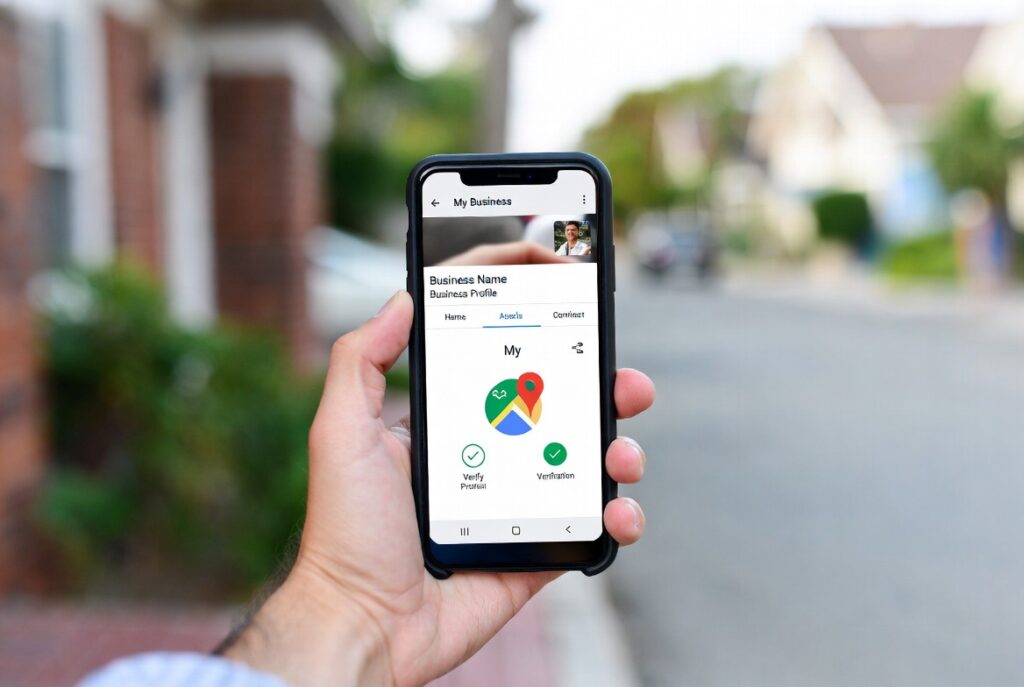
If you run a service-based business—think plumbers, electricians, landscapers, photographers, consultants, or mobile repair pros—you already know how valuable a Google Business Profile (GBP, formerly Google My Business) is. It puts you in local search results, Google Maps, and the "Local Pack," driving real customers your way without expensive ads.
But here's the reality in 2026: getting (and staying) verified has never been harder. What used to be a simple postcard code or phone call now frequently defaults to video verification, with higher rejection rates and longer wait times. Google isn't making it tough just to annoy you—they're cracking down hard on spam, fake listings, and scams that exploded during the COVID era. The goal is to protect search users from shady operators while keeping the local map trustworthy.
The good news? Service Area Businesses (SABs) that don't have (or don't want to display) a public storefront can still get verified. You just need to understand the process and give Google exactly what it wants: clear proof you're a legitimate, operating business. Let's break it down.
The Current Google Business Profile Verification Process
Once you claim or create your profile at business.google.com:
1. Google automatically chooses your verification method(s) based on your business type, location, public records, and other signals. You can't pick.
2. Common options in 2026:
-
- Video verification (by far the most common for new profiles and many SABs).
- Postcard (mail code to your address—still available but less frequent).
- Phone (live call or automated code).
- Email (code sent to a verified business email).
3. After submitting (especially video), Google reviews it—usually within 5 business days, though it can take longer.
If your profile changes significantly (new address, category, name, etc.), you may have to re-verify. Miss it, and your listing can get suspended or hidden.
Why Has Verification Become So Difficult?
Google's tightening the rules for good reason:
- Fraud explosion: Fake businesses, especially "local service" scams, flooded the platform in recent years. They created listings to steal leads, post fake reviews, or run phishing operations.
- AI-powered detection: Google now uses advanced signals to spot suspicious activity. New profiles, address changes, or businesses with thin online footprints get extra scrutiny.
- Protecting users: Customers rely on Google Maps and search for trustworthy local providers. One bad experience with a scam listing hurts Google's reputation.
The result? Legitimate businesses—especially newer ones or those without a traditional storefront—face more hurdles. Video rejection rates hover around 50% for first attempts in many reports. But it's not impossible. Preparation is everything.
How Service Area Businesses (No Public Location) Can Get Verified
SABs are fully eligible as long as you meet customers in person at their locations (not purely online/app-based services). You can hide your address from the public view and instead list the cities, ZIP codes, or regions you serve (keep the radius realistic—roughly a 2-hour drive from your base).
Important: You still need a real physical address associated with the profile for internal verification purposes (home office, warehouse, or commercial space works—PO boxes or pure virtual offices usually don't). Google just won't show it publicly.
Most SABs now get routed straight to video verification. Here's what Google requires in one continuous recording (30 seconds to 5 minutes max—no narration, no faces, no sensitive info like bank details):
- Show your location/service area: Film in the areas you actually serve. Capture street signs, landmarks, neighboring businesses, or signs that advertise your company. Park your branded vehicle visibly with the street name or plaza in frame. (Empty fields or generic land won't cut it.)
- Prove your business exists and operates: Display branded equipment, tools, work vehicles (logo, phone number, or name clearly visible), uniforms, marketing materials (business cards, flyers, signs), or products/services you provide.
- Demonstrate you're authorized to represent the business: Show proof of affiliation—e.g., business license, registration documents, utility bill, or invoice matching your GBP name and address. Open a branded van or access your workspace/tools to show ownership/management.
Google's official guidance emphasizes these three elements: location proof, business evidence, and management proof. Nail all three, and your approval odds improve.
Practical Tips to Convince Google You're a Real Business
Service businesses succeed by treating verification like a "show, don't tell" audition. Here's what actually works:
1. Build a strong online foundation first
- Verify your website with Google Search Console (this can sometimes unlock instant verification).
- Use a professional business email (not Gmail) linked to your Google account.
- Ensure consistent Name, Address, Phone (NAP) across your website, social profiles, directories, and BBB listing.
2. Prepare your physical proof
- Invest in clear branding: vehicle wraps/magnets with your logo and contact info are gold for SAB video verifications.
- Gather official documents: business license, tax registration, insurance, or recent utility bills.
- If home-based, your address must comply with local zoning (many areas allow it).
3. Nail the video on the first try
- Film during daylight in a well-lit area.
- Walk through your service area or park your branded truck near visible landmarks.
- Show equipment in action (e.g., tools laid out, opening the van).
- Hold up documents clearly to the camera.
- Keep it under 2 minutes if possible—clear and to the point.
4. Other verification boosters
- Try phone or postcard first if offered (some profiles still get these).
- If rejected, review the exact feedback Google gives and re-record immediately with improvements.
- Use Google's verification status tool or support in the Business Profile dashboard for escalation (real humans sometimes review appeals).
- Avoid frequent changes post-verification to prevent re-triggers.
5. Common pitfalls to avoid
- Don't use virtual offices or PO boxes for the verification address.
- Don't overextend your service area.
- Don't submit blurry, edited, or narrated videos.
Final Thoughts: Patience Pays Off
Google's stricter verification process is frustrating, but it's designed to reward real businesses like yours. Once verified, your SAB profile can appear in local searches across your entire service area—without ever needing a storefront.
Take the time to prepare your branding, documents, and video properly. Most owners who get rejected on the first attempt succeed on the second or third with clearer evidence.If you're a service business struggling right now, you're not alone—and it is possible. A verified Google Business Profile isn't just a checkbox; it's one of the highest-ROI marketing tools available in 2026.
Stay verified, stay visible.
About The Author